Slide Properties
Selecting Slide Properties from the Edit menu will open up the last Slide Property tab selected. A typical view is shown below.
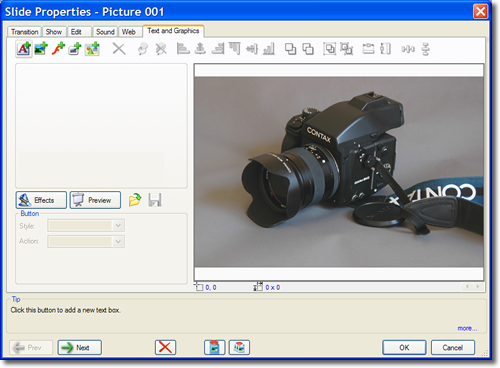
It should be noted that selecting Slide Properties from the Edit menu gives the same result as double clicking on a slide image in the Slide Sorter View.
Each tab represents a different set of attributes of individual slides that can be edited to provide your desired results.
Click on the Tab names in the table below for a full description of each tabs function.
Slide Properties
| Tab Name |
Description |
| Transition |
Controls transition effects and timing |
| Show |
Sets slide duration and pan and zoom functions |
| Edit |
Provides cropping, brightness and contrast controls and lets you change the image file associated with the slide |
| Sound |
Controls the attributes and timing of sound effects an narration associated with individual slides |
| Web |
Provides for slide action on end and on click as well as assignment of parameter values. |
| Text and Graphics |
Provides for the importing, editing, compositing and animation of images, text, shapes and SWF files |